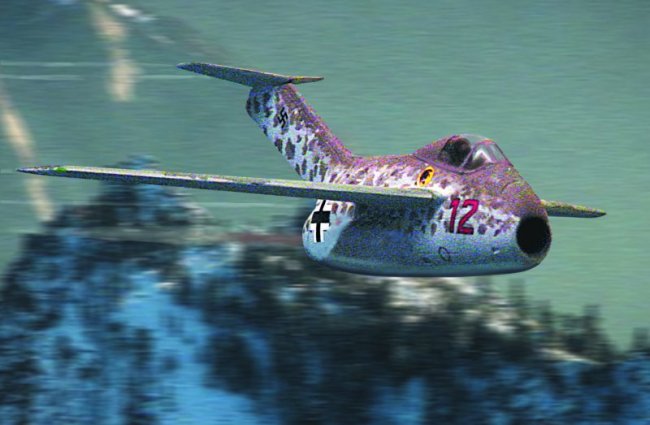
Inspired by Caz
Dalton's article "How to create simple in-flight digital photographs"
I decided to have a go. However I didn't have room or much equipment, so I
applied a bit of WW2 spirit and improvised.
General Description.
Step 1.
I selected the models I wanted to use and simply shot them with a Sony Cybershot
3.3
megapixel Digicam borrowed from work. I laid out a large sheet of matt white
card, taping it at the front to the kitchen table and the wall behind so the
card was swept up from the horizontal to the vertical. Lighting was pure
daylight from the window.
I took many shots to choose from.
Step 2
Next I found suitable royalty free sky background images and brought them with
the
selected plane shots together in Photoshop 6 on my Mac. I cut out the aircraft
from the original background and adjusted brightness and contrast to suit.
Then I copied the cut out aircraft image on to the sky background on a separate
layer. Once this was done I adjusted anything that needed adjusting. I don't
build models with pilots or crew so I added them as necessary with the photoshop
airbrush.